
General
The “Catalog” provides instantly usable views for a variety of data sources and use cases. It can be accessed by clicking on the “books” icon within theTables/Diagrams section in Custom Views.
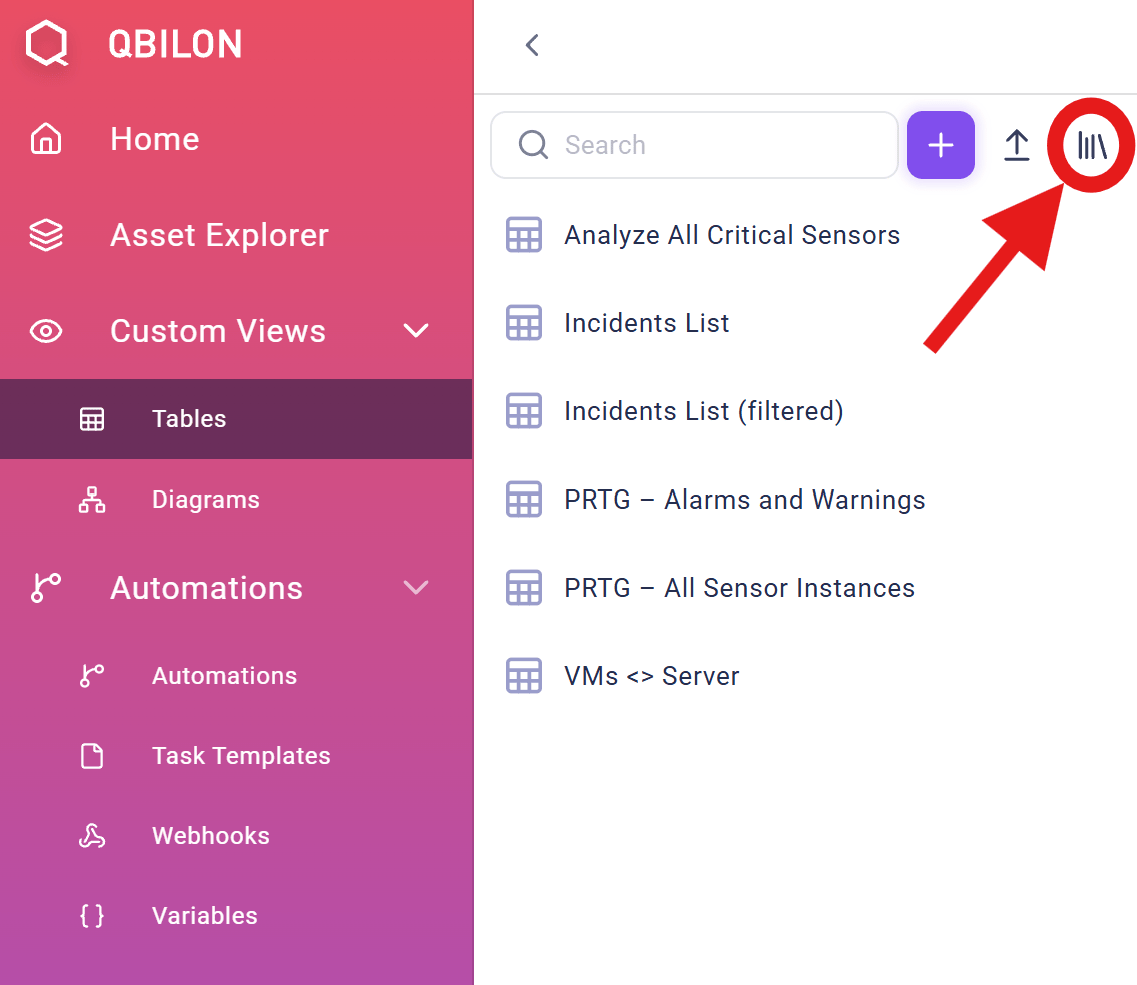
Catalog
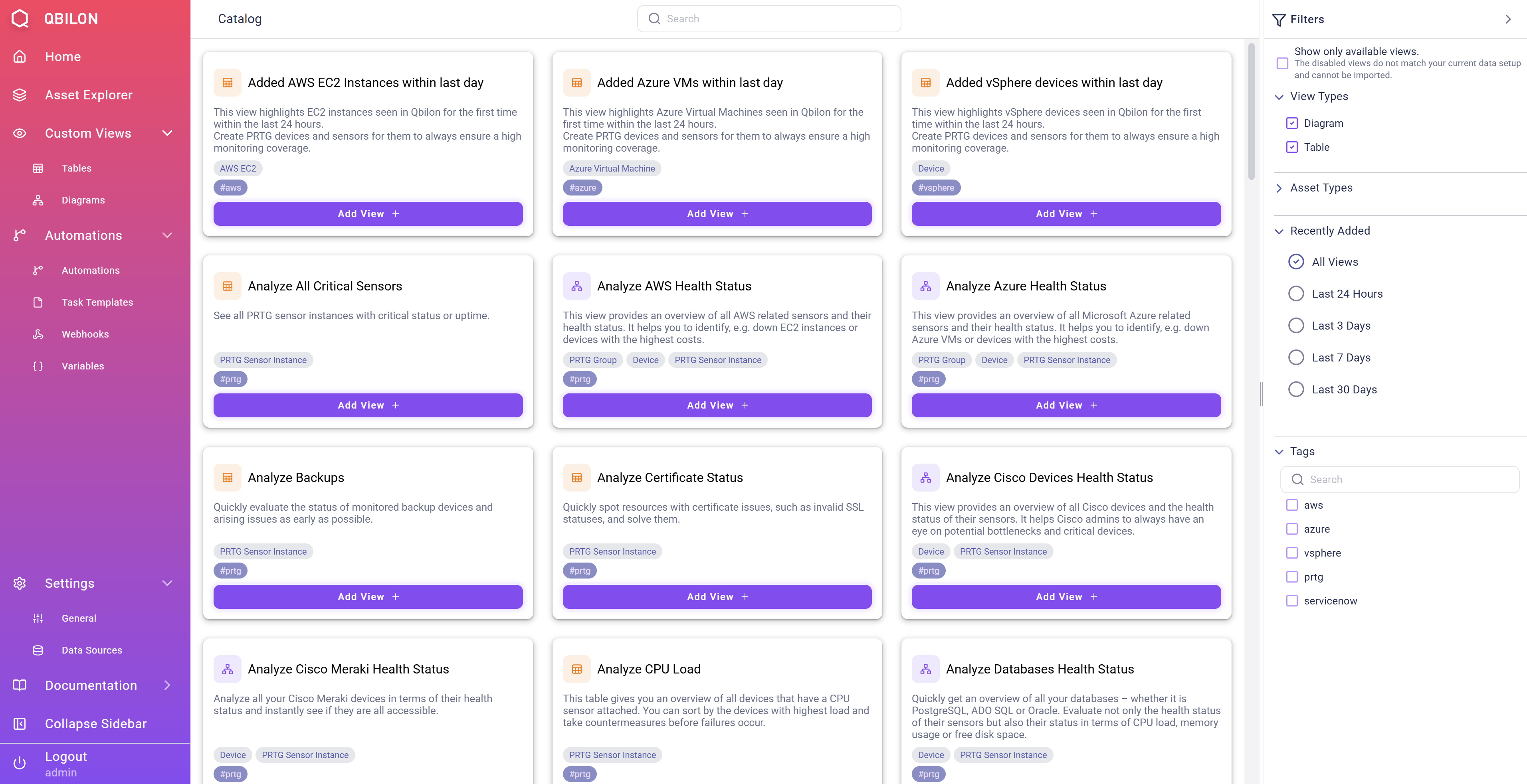
For all views you will see different kinds of information about the specific views:
- Name: This will also be the name of the view if it is added to your Qbilon instance.
- Description: A short text that explains the purpose and use case.
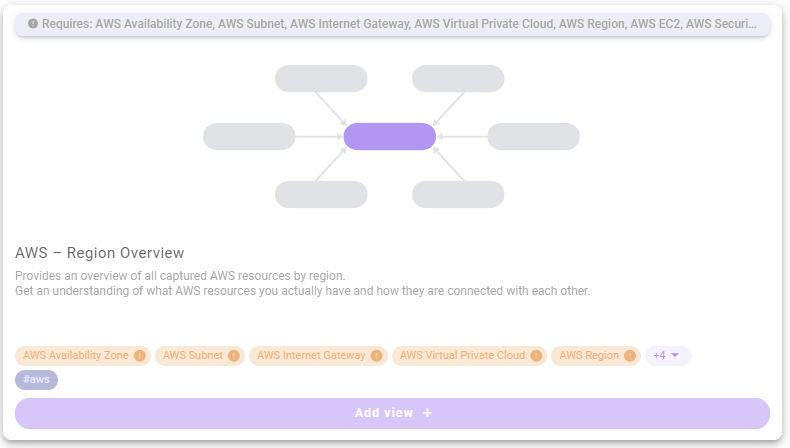
- Supported Datatypes: Below the description, there is a list of tags containing the datatypes this view visualizes. If one or more of these datatypes are not present in your Qbilon instance (highlighted in orange), then the view will be disabled and you can not import it.
- Tags: Below the visualized datatypes, there is an additional row of tags that makes it easier to filter for views that are meant for specific use cases or data connectors.
Search
Users can search for suitable views by using the filtering panel on the right side:Show only available views: Reduces the set of displayed views to those being applicable on the current data.View Types: Show only Diagrams or Table Views.Asset Types: Filter for views that include specific asset types (such as “Azure Virtual Machine” or “PRTG Group”).Recently Added: Filter for views that were added within a specific time-frame.Tags: Filter for views that include a specific tag in their title or description.
Adding Views
Adding a specific view is possible via theAdd View + button. Afterwards, the new view is instantly available on the Home screen and the Views list.
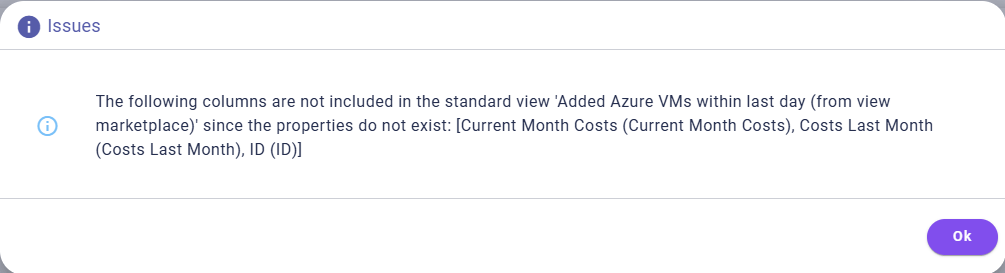
If the import process encounters any issues, such as missing assets or relation types, a pop-up message will inform the user of the details. Nevertheless, Qbilon will try to import the view to the extent possible. However, the view itself may lose some of its expressiveness due to missing data in your Qbilon instance. Below is an example message for such a case:
You can import the same view multiple times. For example, you can do this if you want to adapt the view in different ways, but you always want to start from the same basis.