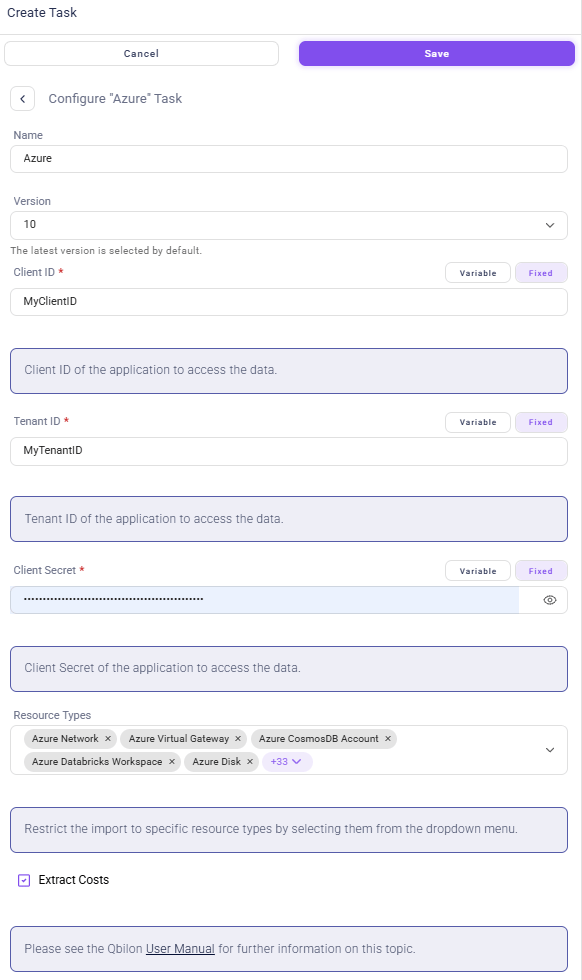
Configuration
Importing data from Microsoft Azure requires the following information:
Table: Microsoft Azure Connector Settings
Access Credentials
The Qbilon Azure connector uses authentication via Client ID, Client Secret and Tenant ID:-
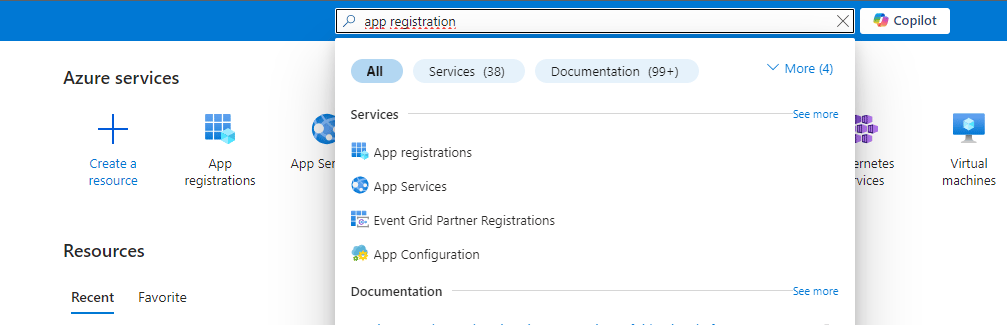
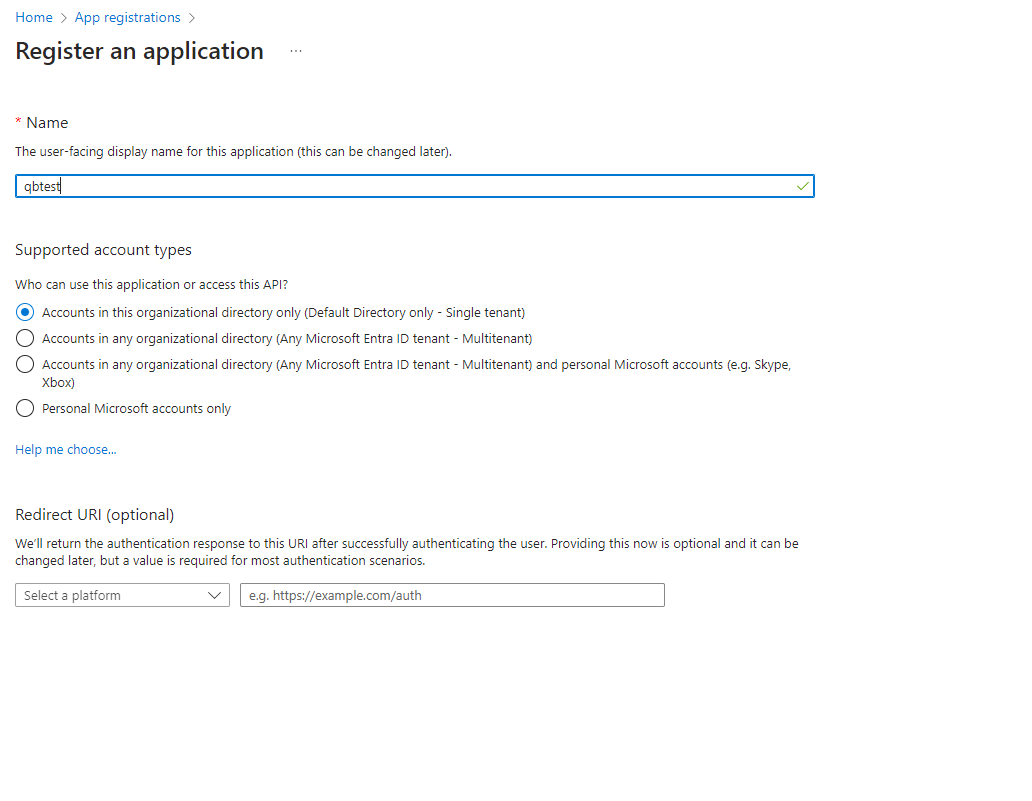
Create a new application in the Azure Directory in “App registration”.
-
Create a new “Client secret” value with a description under the “Certificates & secrets” item. The temporarily visible “Value” is the client secret that is needed for authentication.
-
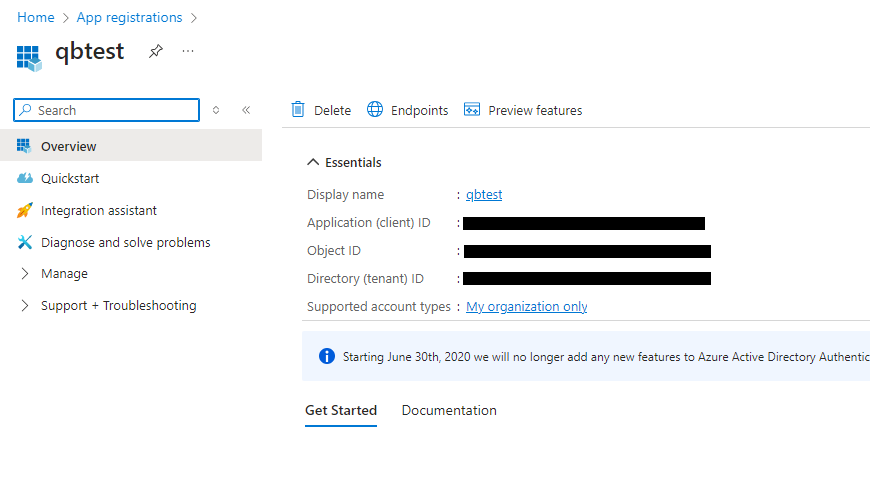
In “Overview” you will find the Application (client) ID as well as the Directory (tenant) ID that must be specified for authentication using the API.
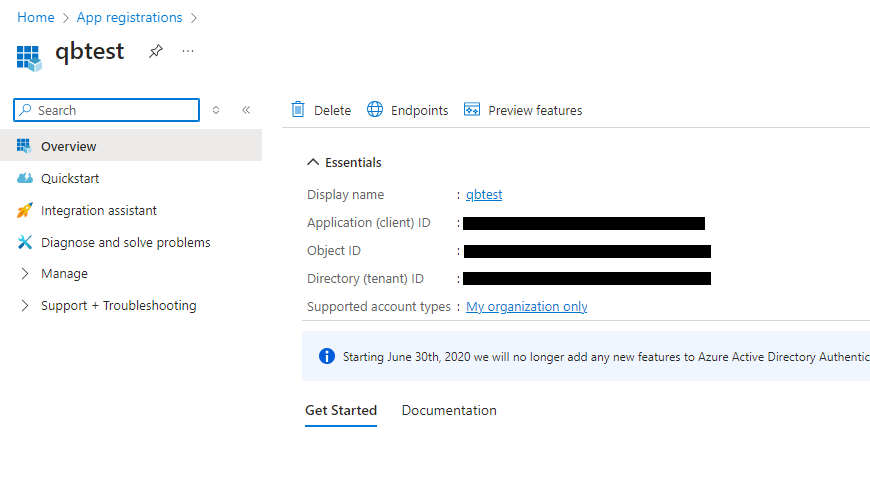
-
To ensure that these keys have read-only rights, the “Reader” role must now be assigned to the created application.
- Go to the main menu item “Subscriptions”, select the current subscription, then select “Access control (IAM)” and create a new role assignment.
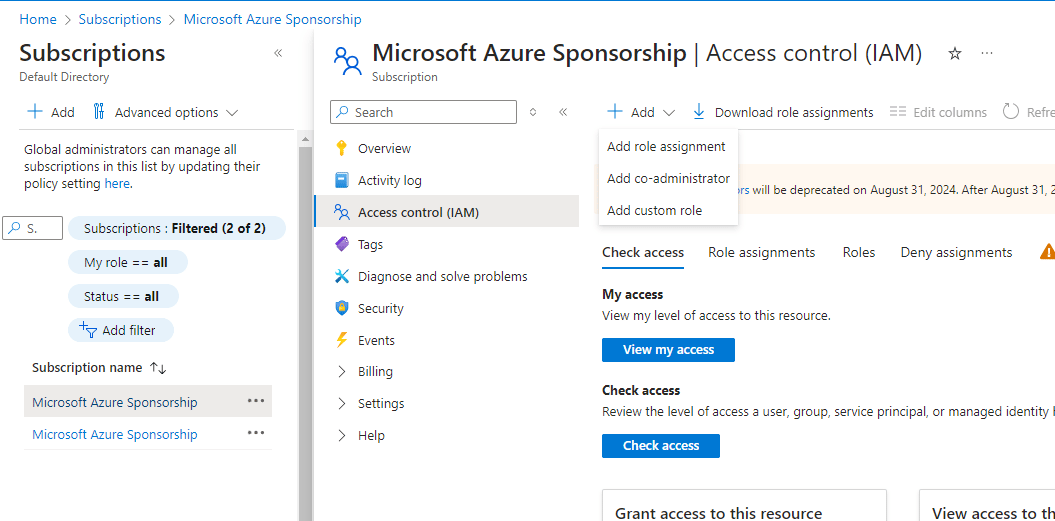
- Give previously defined app the role “Reader”. This allows Qbilon to read (but not write) anything.
- The three generated keys can now be entered into the Qbilon Azure connector to be able to generate the current Azure architecture.
Resource Types
When configuring the Azure connector, different resource types can be selected. When configuring the Azure connector, different resource types (Azure services) can be selected. An always up-to-date list of supported resource types is available on our website: https://www.qbilon.io/list-of-connectors. If you want to import more Azure services, please contact our tech team atsupport@qbilon.io.